
Download AT&T Communication Manager – Windows 8 data usage monitor, free & secure
Overview
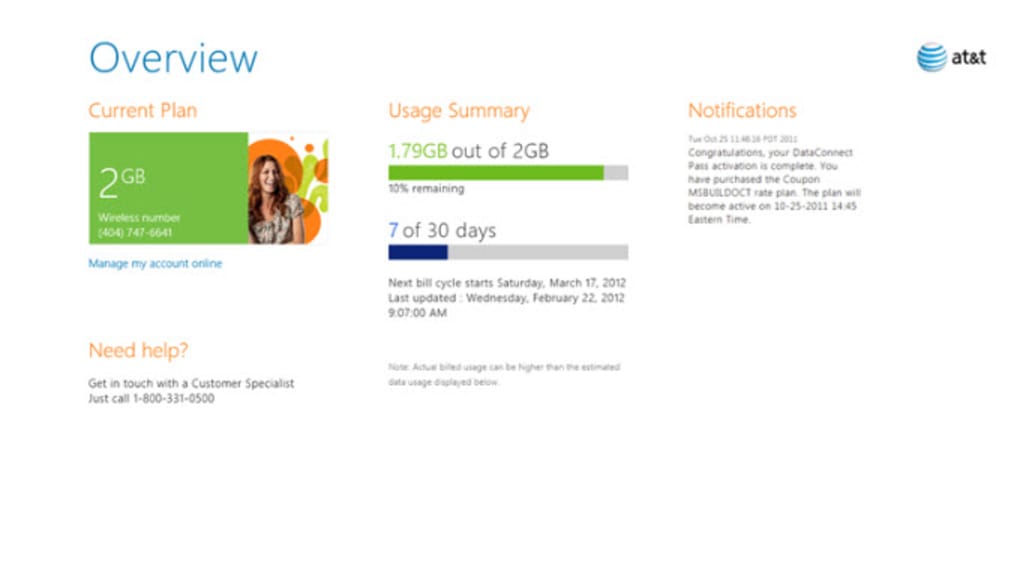
AT&T Communication Manager is a lightweight Windows 8 app that brings your AT&T account straight to your desktop. Designed for customers who want a quick visual snapshot of their mobile data consumption, the tool displays real‑time usage, remaining days in the billing cycle, and any important notifications from AT&T. While the app does not allow you to change plan settings directly, it offers a clear, color‑coded bar that instantly shows how close you are to hitting your data limit.
This makes it easier to avoid overage charges and to plan future usage. The interface is intentionally simple: a single dashboard presents your current plan, a textual summary of used versus available megabytes, and a timeline of days left before the next reset. Because it connects securely to your AT&T account via the same credentials you use on the web portal, the data you see is always up‑to‑date, reflecting any recent calls, texts, or data sessions.
For Windows 8 users who prefer a native experience over constantly opening a browser, AT&T Communication Manager fills a niche by consolidating essential account information into a single, easy‑to‑read window.
Key Features
- Real‑time data usage monitoring – See exactly how many megabytes you have consumed and how many remain.
- Color‑coded usage bar – A visual indicator turns yellow and then red as you approach your data cap, giving an instant warning.
- Billing cycle countdown – The app displays the number of days left until your next billing period, helping you pace your consumption.
- AT&T notifications – Receive important service alerts, promotional offers, and plan reminders without leaving the desktop.
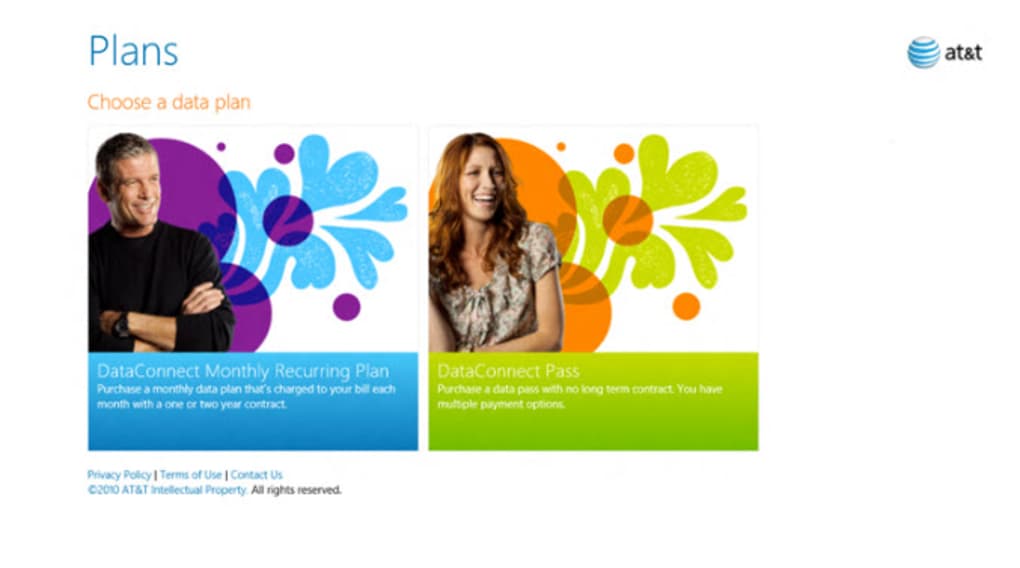
- Plan overview – Quickly verify which AT&T plan you are subscribed to and view the associated data allowance.
- Secure account linking – Uses AT&T’s OAuth authentication to protect your credentials and keep data transmission encrypted.
- Lightweight footprint – The installer is under 10 MB, and the app consumes minimal system resources while running.
- Free download – No hidden fees; the app is offered at no cost to AT&T customers on Windows 8.
These features collectively make AT&T Communication Manager a practical companion for anyone who wants to stay on top of their mobile data without juggling multiple tabs or apps. The straightforward design means you can glance at the dashboard during a quick break and instantly understand your usage status. Because the app pulls data directly from AT&T’s servers, the numbers you see are as reliable as the official web portal, eliminating the guesswork that often accompanies third‑party monitoring tools. Whether you are a light‑user who wants to avoid surprise overage fees, a business traveler tracking multiple devices, or a family member helping a teen stay within limits, the feature set is tailored to provide clarity without complexity.
Installation & Usage Instructions
Step‑by‑step installation
- Visit the Microsoft Store on your Windows 8 device and search for “AT&T Communication Manager”.
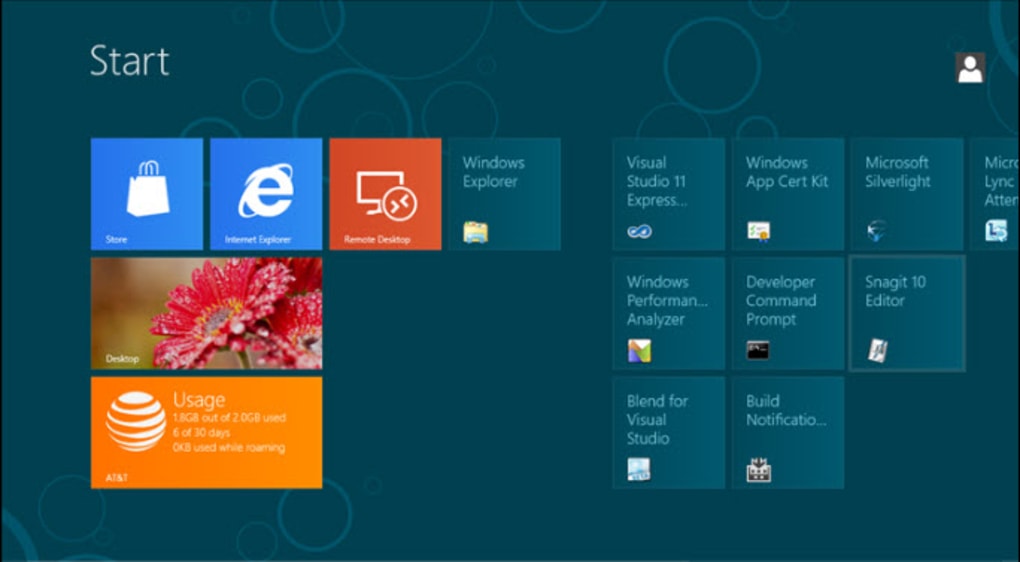
- Click the Get button to begin the free download. The installer will automatically download and place a shortcut on your Start screen.
- After the download completes, launch the app. You will be prompted to sign in with your AT&T credentials (username and password or PIN).
- Complete the two‑factor authentication if your account requires it. The app uses AT&T’s secure OAuth flow, so your password never touches the local machine.
- Once authenticated, the dashboard loads, showing your current data usage, plan details, and days left in the billing cycle.
Everyday usage tips
After the initial setup, using AT&T Communication Manager is as simple as opening the app from the Start screen. The main window is divided into three sections: a top bar displaying your plan name, a central usage bar that updates automatically every few minutes, and a bottom panel that lists days remaining and any pending AT&T notifications. To refresh the data manually, click the circular refresh icon in the upper‑right corner; this forces a fresh API call to AT&T’s servers.
If you receive a new notification, it will appear in a pop‑up banner at the bottom of the screen—clicking the banner takes you to the full message within the app. The app also offers a “View Details” link that opens a more granular breakdown of data consumption by day, helping you pinpoint which activities (streaming, browsing, etc.) are using the most bandwidth. Because the application runs in the background with minimal impact, you can keep it open while you work, and the usage bar will continue to update without interrupting other tasks.
Compatibility, Pros & Cons, and Frequently Asked Questions
System requirements
AT&T Communication Manager is built exclusively for Windows 8 (both 8.0 and 8.1). The app requires a minimum of 1 GB RAM, 500 MB of free disk space, and an active internet connection to sync with AT&T’s servers. It runs on both 32‑bit and 64‑bit versions of the OS. Users on Windows 10 or newer can still install the app via the Microsoft Store, but the experience may be limited to legacy mode, and some UI elements could appear slightly misaligned.
Pros
- Free and easy to download from the Microsoft Store.
- Real‑time data tracking with an intuitive visual bar.
- Secure authentication using AT&T’s OAuth protocol.
- Lightweight, low CPU and memory usage.
- Immediate notification of plan changes or service alerts.
Cons
- Limited to Windows 8; no native support for newer Windows versions or mobile platforms.
- Cannot modify plan settings directly from the app.
- Interface is very basic; lacks advanced analytics or historical graphs.
- Occasional sync delays if AT&T’s API experiences high traffic.
FAQ
Do I need a separate AT&T account to use the app?
No. The app uses the same credentials you already have for the AT&T online portal. Just sign in with your existing username and password.
Can I change my data plan from within AT&T Communication Manager?
No. The app is designed for monitoring only. To upgrade, downgrade, or modify your plan you must visit the AT&T website or contact customer support.
Is the app safe for business use?
Yes. It employs AT&T’s secure OAuth login, which means your password is never stored locally. The data transmission is encrypted, making it suitable for corporate devices.
What should I do if the usage data looks incorrect?
First, manually refresh the dashboard using the refresh icon. If the discrepancy persists, sign out and sign back in to force a new authentication token. Should the issue continue, contact AT&T support, as the problem may be on the carrier side.
Can the app run in the background while I’m using other programs?
Yes. AT&T Communication Manager has a minimal footprint and continues to update its usage bar even when minimized, allowing you to keep tabs on your data without interrupting other work.
Conclusion & Call to Action
AT&T Communication Manager fills a specific need for Windows 8 users who want a quick, secure glance at their mobile data consumption without opening a web browser. Its real‑time monitoring, clean visual cues, and secure authentication make it a trustworthy companion for anyone looking to avoid surprise overage charges. While the lack of plan‑changing capabilities and its restriction to an older operating system may limit appeal for power users, the app’s simplicity and zero cost are compelling for the majority of AT&T customers still on Windows 8. If you value instant visibility into your data usage and want a free, lightweight solution that integrates directly with your AT&T account, this tool is worth a download.
Ready to take control of your data? Click the link below to download AT&T Communication Manager from the Microsoft Store and start monitoring your usage today.
Free – USD






